

Pricing
Pricing is where Gierd’s Dynamic Pricer lives. It monitors market conditions and automatically adjusts your listing prices to win the Buy Box, within the guardrails you set, without sacrificing margin.
Price list
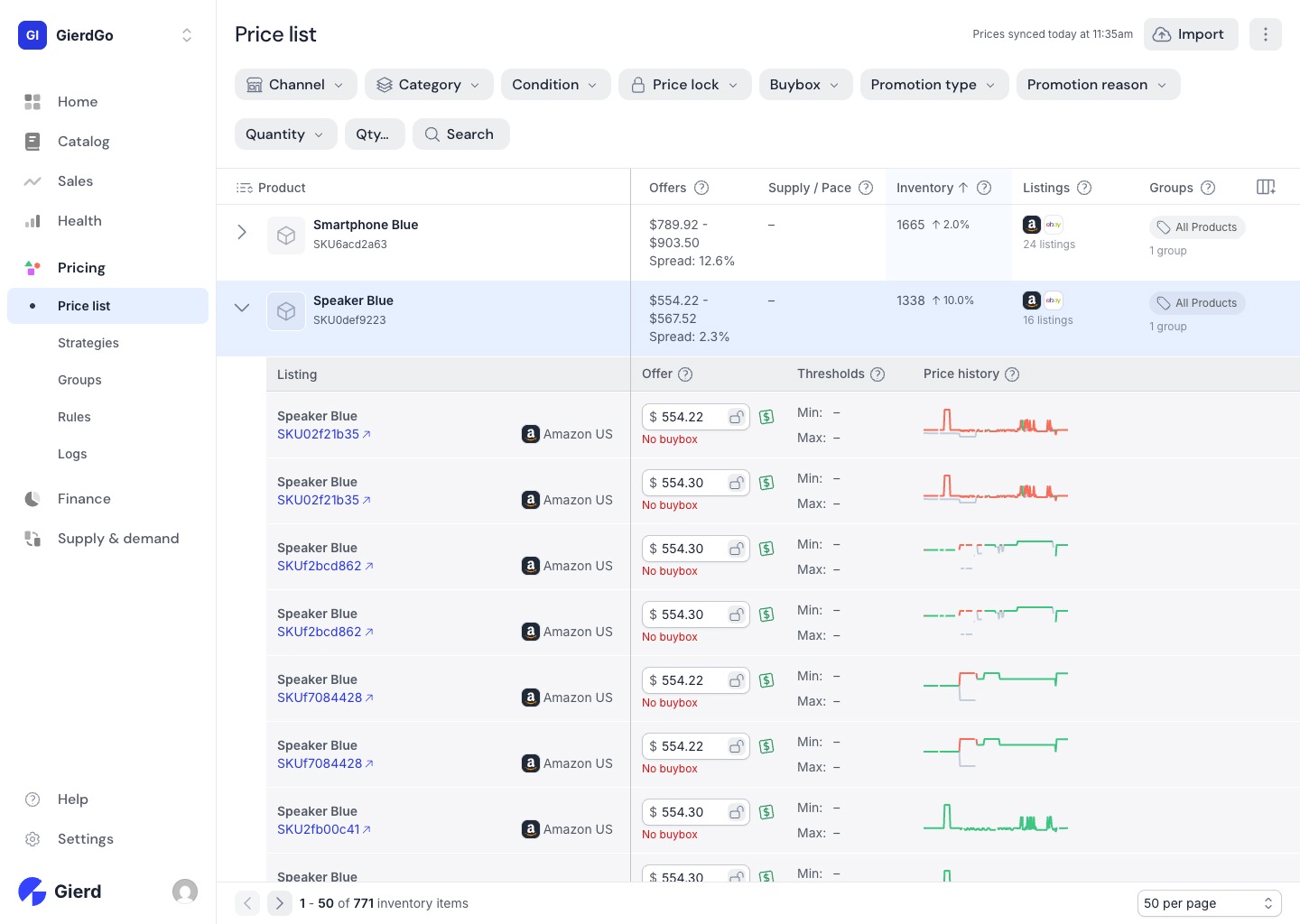
Section titled “Price list”The Price list shows every SKU across all connected channels with its current offer range, inventory levels, and listing count. For each product you can see the spread between your lowest and highest active offer, inventory on hand with a velocity trend, and which channels it’s listed on. Expand any row to see listing-level detail — individual offer prices per channel, min and max thresholds, and a price history sparkline.
Strategies, Groups, and Rules
Section titled “Strategies, Groups, and Rules”Strategies define how the Pricer behaves. Each strategy has a type — Buybox strategies compete for the Buy Box by adjusting price against competitors; Sellthrough strategies prioritize moving inventory; Agent strategies use AI to optimize across multiple goals.
Groups organize your catalog into segments you can assign different strategies to. A group can be defined by categories, individual SKUs, or both. Every SKU automatically belongs to the All Products group, which acts as the default fallback.
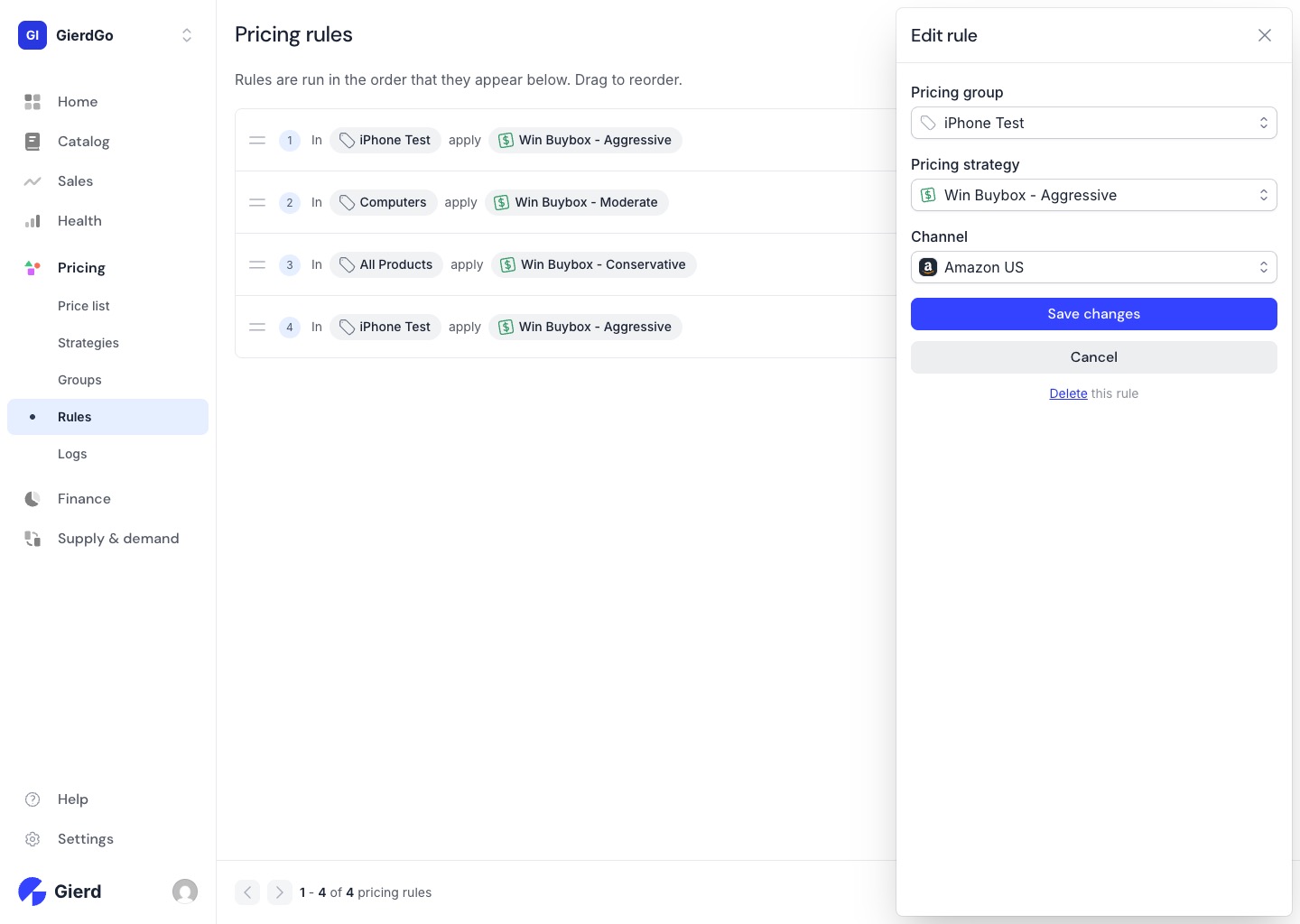
Rules wire groups to strategies for a specific channel. They run in priority order — drag to reorder. The first rule that matches a SKU wins, so you can layer exceptions on top of a broad default: a specific group at the top, a catch-all at the bottom.
Next, we’ll look at how Finance gives you the full financial picture — fees, returns, and payouts reconciled in one place.